
Imagine this: The perfect opportunity lands in your inbox, but it requires a quick, comprehensive overview of your brand. Do you scramble, sending scattered links and outdated bios, or do you confidently hit “send” on a polished, professional document that tells your story at a glance?
Your media kit is the latter – a 60-second presentation of your credentials, audience, and impact.
In this guide, you’ll learn what to include, how to design it, pitfalls to avoid, and the tools that make the process straightforward.
What a Media Kit Is (And Isn’t)
A media kit is a quick-reference credibility document. Think of it as the professional equivalent of a handshake and elevator pitch combined, a concise, compelling showcase designed to answer the following questions: who you are, what you do, who you serve and why you’re a strong fit.
It’s also crucial to understand what a media kit is not:
- It’s not an exhaustive history of your life.
- It’s not a sales pitch for a specific product (that’s a deck).
- It’s not a static document (it needs regular updates).
The Core Purpose of a media kit is to make it easy for journalists, bloggers, and media professionals to write about your brand accurately and quickly.
Who Needs a Media Kit?
If you interact with media, influencers, partners, or sponsors in any capacity, you need a media kit. It’s not just for big brands—media kits help businesses of all sizes look credible, prepared, and easy to work with. A media kit simply makes it easier for others to say yes.
Quick Checklist: Do I Need a Media Kit?
☐ I pitch myself (or want to) as an expert or source
☐ I want media, podcasts, or event organizers to take me seriously
☐ I collaborate with brands, sponsors, or partners
☐ I’m often asked for bios, photos, logos, or brand info
☐ I want to look professional—and stop scrambling
If you checked one or more boxes, a media kit is essential for your success. To give you a clearer picture, here are the types of businesses and creators who put media kits to work:
Common Media Kit Users
- Small businesses and startups
- Product-based brands
- Agencies, consultants, and coaches
- Content creators and influencers
- Nonprofits and community organizations
Defining Your Goal & Target Audience
Your media kit can’t serve everyone equally well. Before you write content, decide who this media kit is for, ask:
Who will read this?
What decision do I want them to make?
Examples:
If your goal is brand partnerships, prioritize:
- Audience demographics
- Engagement rates
- Types of collaborations you offer
Sample language: “My audience consists primarily of women ages 25–40 who are actively researching sustainable lifestyle choices.”
If your goal is press or speaking, prioritize:
- Credentials and expertise
- Topics you speak or write about
- Past features
Sample language: “I regularly provide expert commentary on digital wellness and have been featured in regional and national publications.”
If your goal is B2B or professional services, prioritize:
- Outcomes and results
- Client testimonials
- Services offered
Sample language: “I help small service-based businesses clarify their messaging and convert website visitors into clients.”
The Prep Work—Gathering Content First
Most people open a blank design template and freeze. They stare at layout options and font pairings before they know what they’re actually trying to say. This approach wastes time and leads to filler content shaped by available space rather than strategic intent. Build your media kit foundation with these essentials:
- Biography: Create short (1-2 sentences), medium (1 paragraph), and long (1-2 paragraphs) versions highlighting different aspects of your story and achievements.
- Statistics: Include verified data on social reach, website traffic, email list size, and engagement rates. Present them clearly and visually.
- High-Resolution Assets: Provide logos in multiple formats (PNG, SVG), professional headshots, and relevant product or lifestyle images.
- Social Proof: Add testimonials, logos from high-profile collaborations, and “As Seen In” sections featuring publications that covered you.
Go beyond basics by including brief case studies or success stories that demonstrate measurable results. This proof positions you as a proven partner, not just another brand.
Choosing Your Format and Tools
Your media kit format depends on your audience, resources, and update frequency. Three main options are:
- PDF: Industry standard—portable, easy to email, universally readable. Perfect for one-off submissions.
- Landing Page: An online media kit page is SEO-friendly, always updated, and easily linked in bios or signatures.
- Interactive Deck: For high-end presentations or major partnerships, tools like Keynote or Google Slides offer dynamic visuals and embedded media.
For tools, Canva works well for beginners needing quick, professional designs. Adobe InDesign offers professional-grade control for experienced designers. For web-based kits, Notion or Squarespace provide user-friendly builders for hosting your content.
Building Your Pages Strategically
Think of your media kit as a conversation that unfolds in order—not a collection of random facts. This approach will help you organize your media kit for quick navigation such as the following five-page structure:
- Page 1 (Cover): High-impact visual representing your brand, plus logo and brand name.
- Page 2 (Hook): Mission statement and “About Us” section articulating your purpose and unique value.
- Page 3 (Data): “By the Numbers” with charts, graphs, and bullet points showing key statistics and audience demographics.
- Page 4 (Services): What you offer—sponsored posts, speaking, consulting, content creation, or collaborations. Be specific.
- Page 5 (Contact/CTA): Email, website, and social handles with a clear call to action like “Email us to discuss partnerships” and suggested subject line.
Design Best Practices
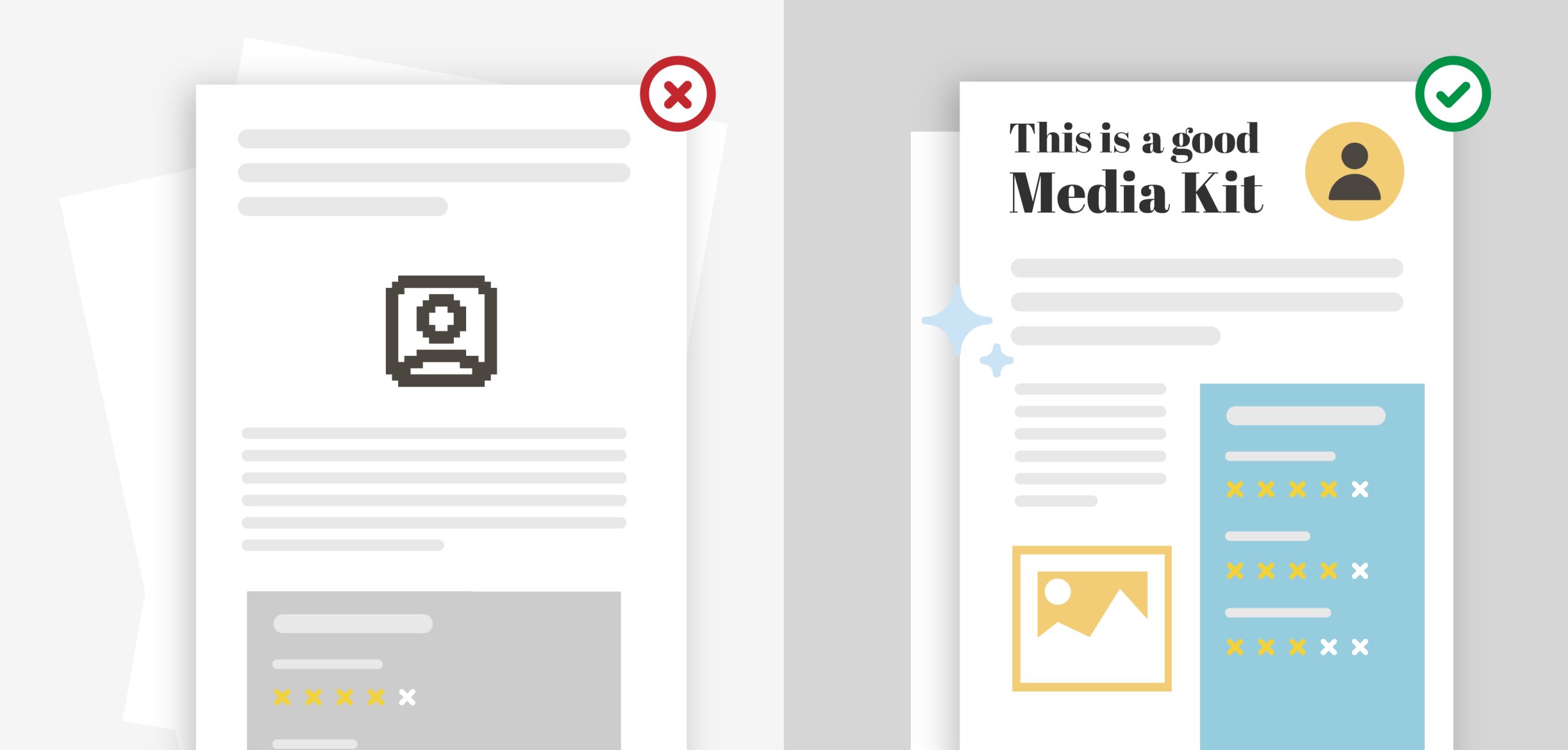
Good design helps information land quickly and credibly rather than showcasing creativity. Use headings and spacing to guide scanning, icons only for navigation, and simple charts (bar or line only). It’s also important to keep these principles in mind:
- Visual Consistency: Match your brand’s color palette, typography, and guidelines throughout.
- White Space: Avoid cramming information. Ample spacing improves readability and creates a professional, uncluttered feeling.
- Hierarchy: Guide the reader’s eye with bold headers, subheadings, and bullets. Key information should jump out immediately.
- Functionality: Make all links clickable (social media, website, portfolio). Test them thoroughly.
The ultimate test? Ask yourself: Could someone understand this in 60 to 90 seconds? If yes, you’ve succeeded.
Common Mistakes (With Fixes)
Even well-intentioned media kits can fall short. Three common mistakes can be avoided with the following:
- Overcrowding: Cut content by 20% and add spacing
- Editable Files: Always export as a locked PDF
- Outdated Stats: Set quarterly reminders to refresh your data
Recommended High-Quality Media Kit Examples for Reference:
- Jenna Kutcher’s media kit – Frequently cited as one of the best examples (beautifully designed with clear statistics)
- Hinge dating app media kit – Complete and easy-to-navigate with downloadable version
- Slack’s media kit – Simple three-bucket approach (logos, app screenshots, brand center)
- Delta Airlines media kit – No-frills organized approach
- Canva’s Press Hub – Shows off their product while providing comprehensive info
Some Helpful Resources
- Icons For Your Media Kit: Free Icons from Flaticon, iStock has 2,400+ media kits icons and illustrations
- Editable Infographic Media Kits: Piktochart’s Media Kit Fact Sheet template, Visme’s Media Kits Infographic Template
Conclusion – Your Media Kit Is a Working Tool
A strong media kit removes uncertainty about who you are and what you can deliver. By organizing your story, proof points, and contact information into a clear, professional package, you make it effortless for partners and media to say yes. The result isn’t just a document—it’s a strategic asset that opens doors and builds credibility.
Your first three steps to creating a media kit you’re proud to send:
- Write your bio in 50, 100, and 200 words
- Collect only metrics that support your goal
- Choose a format and tool you can update easily
A well-built media kit becomes something you’re confident sharing—and that confidence is exactly what turns opportunities into partnerships. Start creating yours today.
Get Smarter With Your Marketing — In Just 5 Minutes a Month
Join thousands of small business owners getting simple, actionable tactics they can use today to grow their brand.
Share This Post:
Share on social media by clicking one of the buttons below. Use the + button to see more options.